

accentize is offering “dxLevel,” its automatic loudness leveling plugin built for speech and dialogue post-production, completely free!
This article walks through the giveaway details and the plugin’s main features. Read on to see if it fits your workflow.
1. What is accentize “dxLevel”?
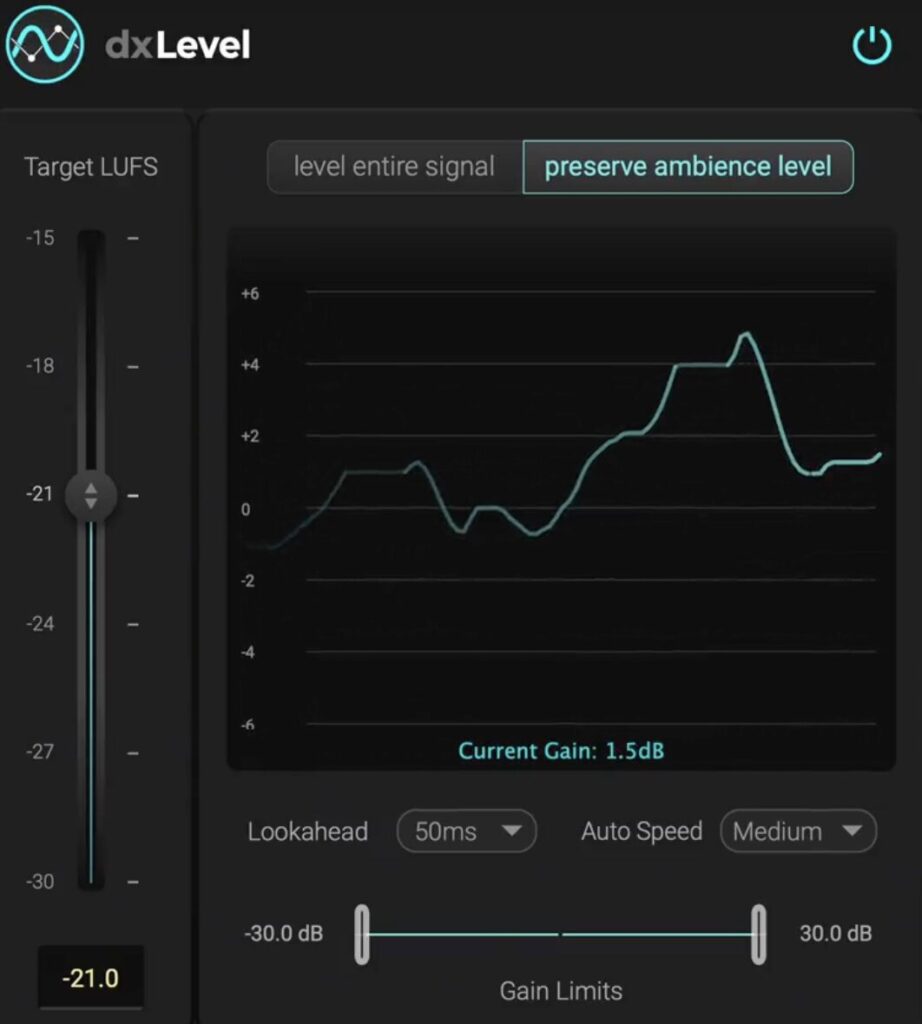
dxLevel is a free audio plugin that automatically matches voice loudness on an LUFS basis, designed for speech and dialogue post-production. It can even out loudness differences between clips, balance multiple speakers captured on a single microphone, and smooth level shifts caused by movement or unstable recording conditions. The “Preserve Ambience” mode lets you push dialogue to your target loudness while keeping the background ambience intact.
Key Features
- LUFS-based automatic voice leveling
- Automatically balances multiple speakers captured by a single microphone
- “Preserve Ambience” mode adjusts only the dialogue while keeping natural background sound
- Suitable for both live and post-production scenarios
- Lookahead and leveling-speed parameters let you fine-tune behavior for any source
- Set an LUFS target and dxLevel will automatically lock perceived loudness in place
- Ideal for podcasts, interviews, YouTube content, broadcast work, and more
- Runs on macOS and Windows in Audio Units / VST3 / AAX formats (Universal 2 Binary supported)
2. How to Download & Install dxLevel
Register your email address in the form on the official page, then click the link delivered to your inbox to download and install the plugin.
That’s everything you need to know about the dxLevel giveaway. If you handle podcasts, video work, or any dialogue-heavy project, this is a serious tool to keep in your free-plugin arsenal.