

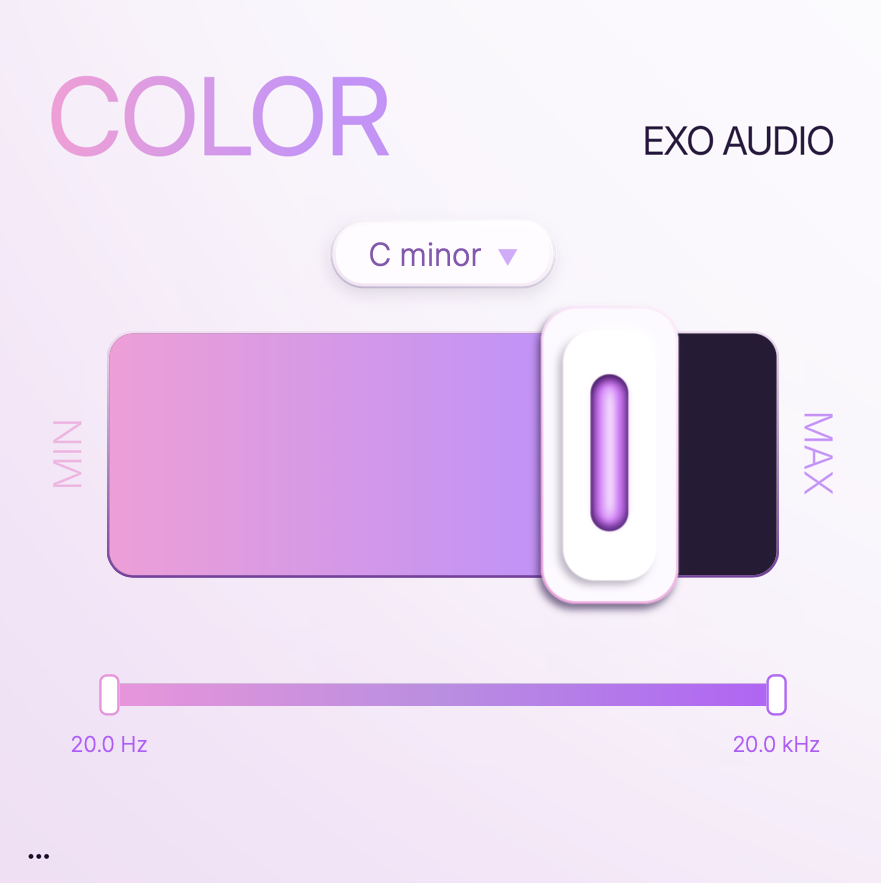
Exo Audio’s one-knob harmonizer plugin “COLOR” is available as a free download.
In this article, we’ll introduce the giveaway details and an overview of COLOR.
1. What Is Exo Audio COLOR?
COLOR is a one-knob harmonizer: pick a key and turn a single knob to pull the pitch content of your material toward notes within that scale, adding harmonic color. It delivers the same kind of effect as the COLOR FX module found in Exo Audio’s granular resampling plugin Prysm, now available as a simple standalone plugin.
Key Features
- Select a key and control the amount of effect with a single main knob
- Pulls pitch content that falls outside the chosen key toward the nearest diatonic pitch, reducing unwanted dissonance
- Includes a wide range of scale types such as Whole Tone, Pentatonic, and Phrygian
- Also supports interval selection, such as fifths and octaves
- Lets you specify the frequency range (20Hz-20kHz) the effect is applied to
- Supported formats: macOS (VST3/AU, macOS 11 or later, Apple Silicon/Intel), Windows (VST3, Windows 10 or later, 64-bit)
- License: sign in with the same email address used at purchase; usable on up to 3 machines at the same time
Demo Sample Used in the Video: Splice Sounds
TSP_ENEIV2_175_kit_throwback_drum_E
2. How to Download and Install COLOR
Enter your email address in the “GET IT FREE” field on the official page and submit it, and a download link will be sent to your email. Download and install the plugin, launch it, and sign in with your email address to activate it online.
That covers the free giveaway details for Exo Audio’s COLOR, a one-knob harmonizer plugin.