

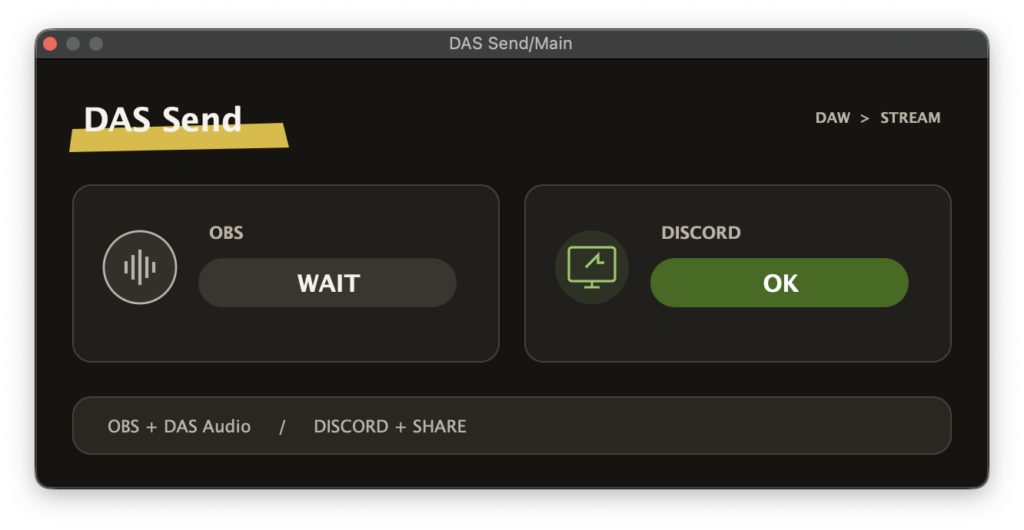
yoruhinot is giving away DawAudioStreamer, a free utility plugin that sends your DAW’s audio straight to OBS and Discord streams.
In this article we cover the free release details and an overview of DawAudioStreamer.
1. What Is yoruhinot “DawAudioStreamer”?
DawAudioStreamer is a free, ad-free, open-source utility that lets you send your DAW’s master audio directly to an OBS stream or recording, or to a Discord screen share, without changing a single audio interface setting. All you have to do is insert one instance of the DAS Send plugin at the end of your DAW master chain, and OBS will then offer DAS Audio (DAW) as a selectable source with no extra software required.
On Windows, DawAudioStreamer also supports Discord screen sharing by using VB-CABLE as the internal audio path inside DAS. On macOS, sharing the DAW application or the entire screen already carries audio through the operating system’s built-in functionality, so DAS is normally not needed for Discord use on that platform.
You can also build a dedicated “streaming BUS” and place DAS Send at the end of that bus instead, which makes it easy to keep monitor-only tracks out of the stream while sending everything else.
Key Features
- Sends your DAW master audio to OBS without changing any audio interface settings
- Supports Discord screen sharing on Windows (uses VB-CABLE as the internal DAS audio path)
- A macOS preview build is available, aimed at sending audio to OBS (Discord sharing works through built-in macOS functionality, so DAS is not required)
- Simple setup – just add a single “DAS Send” instance at the end of the DAW master chain
- On the OBS side, just hit [+] under “Sources” and add “DAS Audio (DAW)” – no additional software needed
- Create a “streaming BUS” and insert DAS Send there to broadcast only the tracks you want
- Verified DAWs: Studio One Pro 8, Cubase, REAPER
- Windows version: Windows 11 / x64 support, VST3 plugin
- macOS version (preview): macOS 13 or later, Apple Silicon support, AU / VST3 plugin
- Free, ad-free and open source (source code published on GitHub)
2. How to Download and Install DawAudioStreamer
Download the build that matches your operating system from the official page and place it in your plugin folder. Add “DAS Send” as the last insert on your DAW master, then in OBS go to “Sources”, press [+] and add “DAS Audio (DAW)”. Play back your DAW project and check the meters in the audio mixer.
If you want to route audio into a Discord screen share on Windows, first run “VBCABLE_Setup_x64.exe” from the official VB-CABLE ZIP as administrator, click [Install Driver], and restart Windows. After that, confirm that DAS Send reports “Ready” and share either your DAW or the whole screen in Discord. Take care not to select “CABLE Input” as your DAW output or as your Discord microphone.
Windows
- VST folder: C:\Program Files\VSTPlugins
- VST3 folder: C:\Program Files\Common Files\VST3
macOS
- VST folder: Macintosh HD/Library/Audio/Plug-ins/VST/
- VST3 folder: Macintosh HD/Library/Audio/Plug-ins/VST3/
- AU folder: Macintosh HD/Library/Audio/Plug-ins/Components/
Summary
That was the free release information for yoruhinot “DawAudioStreamer”. If you stream or record your DAW sessions on OBS, or share your work in progress over Discord, this is an extremely convenient tool to keep installed – and since it is completely free, ad-free and open source, there is very little reason not to try it.