

NoiseWorks’ pop noise removal plugin “PloseAssist” is now available for free! This article covers the PloseAssist giveaway details and an overview of the plugin. Be sure to check it out.
1. What Is NoiseWorks PloseAssist?
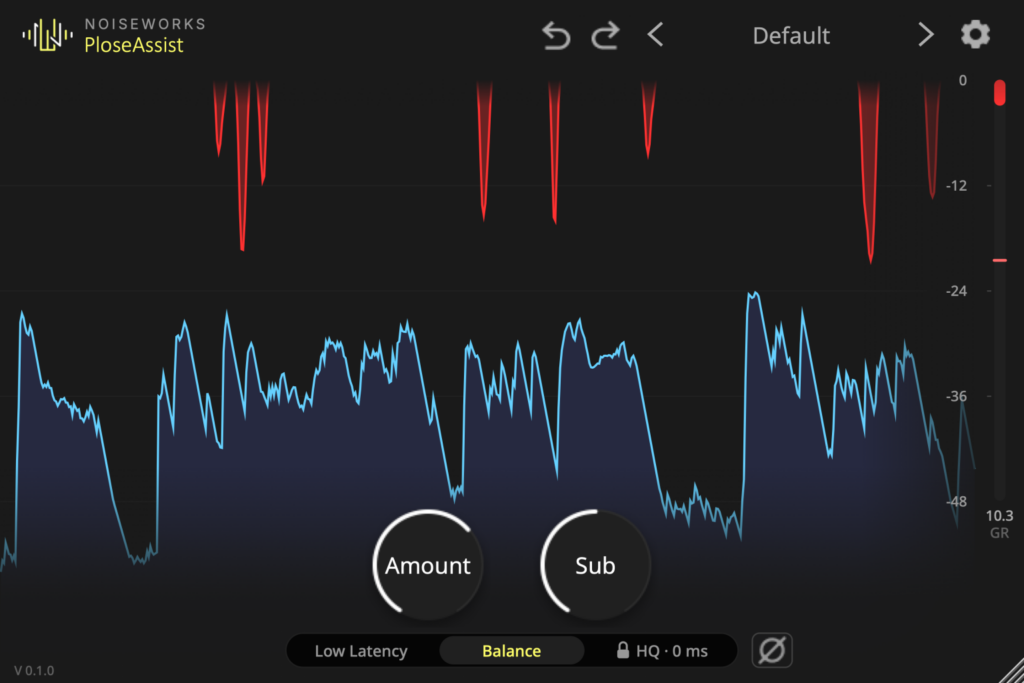
PloseAssist is a de-plosive plugin that automatically detects “P” and “B” pop noises (plosives) in voice recordings and lowers only the low end at that instant. No threshold setting is needed, so most recordings work without any adjustment. It is built for speech, dialogue, podcasts, narration, singing and rap.
Key Features
- Reduces only the low end (below roughly 250 Hz) at the moment a pop is detected, unlike a high-pass filter that cuts constantly
- No threshold setting required
- Scrolling display that shows each cut as a red dip, plus a gain reduction meter
- Delta mode lets you listen to only the sound being removed
- Amount control adjusts the depth of the cut, and Sub adds extra cut below 100 Hz
- Low Latency mode for recording and Balance mode for editing and mixing
- Supports macOS (Apple Silicon / Intel) and Windows 64-bit in VST3, AU and AAX formats
2. How to Install and Activate PloseAssist
Add the plugin to your cart with “Add to Cart – Free” on the official page and check out for $0. You will receive an email with an installer download link and a license key. Download and install the plugin, launch it, and enter the license key from the email to activate it.
That was the free giveaway information for PloseAssist.