

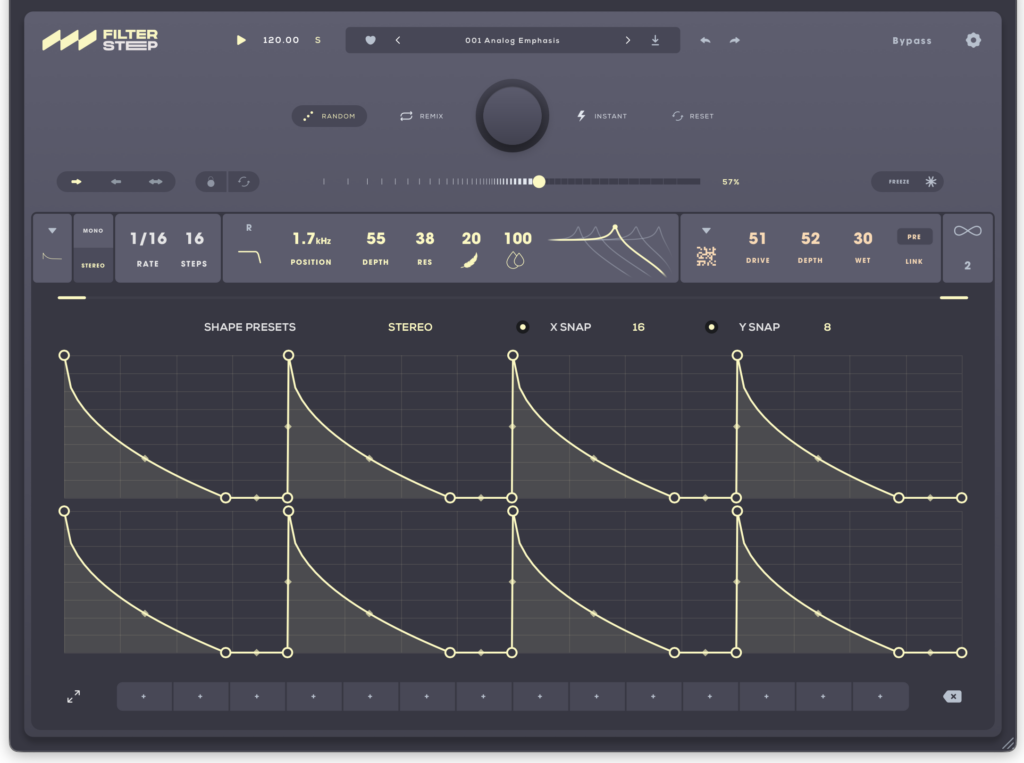


Audiomodern’s motion filter plugin Filterstep has been updated to version 2, and Filterstep 2 is now available as a free download!
In this article, we cover how to get Filterstep 2 for free, along with an overview of its features.
1. What is Audiomodern Filterstep 2?
Filterstep 2 is a rhythmic multi-effect that combines sequencing, modulation and effects to add movement, texture and character to your sound. Create motion with five sequence modes and custom filter shapes, discover unexpected patterns with Random, Remix and Infinity, and then take your patterns further with five effect engines.
Key Features
- 5 sequence modes
- Flow: flowing patterns in which the height of each filter step changes
- Gated: rhythmic patterns created by switching filter steps on and off
- Binary: steps that randomly take either the minimum or maximum filter frequency
- Draw: freely draw a filter curve across the entire loop
- Snake: a playful mode in which the clock keeps time while you choose the direction of travel
- Custom filter shapes
- Pattern variations generated with Random, Remix and Infinity
- 5 effect engines: Density, Drive, Crush, Comb and Lo-Fi
- Effects can be placed either before or after the filter, blended, and linked to the filtered steps
- Formats: VST3 / AU / AAX / Standalone (Windows & macOS)
- System requirements: macOS 10.14 or later (native Apple Silicon support), Windows 10 or later
- iPad version (AUv3 / Standalone) coming soon
Samples Used in the Video | Splice Sounds
- TSP_ENEIV2_174_bass_synth_footstep_Dmin
- TSP_TJDV2_174_drum_layered_break_killa
2. How to Download, Install and Activate Filterstep 2
Simply enter your email address via the “FREE DOWNLOAD” button on the official product page to download and install the plugin. You will also need to enter your email address when you launch it for the first time.
That’s it for the Filterstep 2 free download. If you’re looking for a creative motion filter that generates rhythmic patterns on the fly, be sure to grab it while it’s free!