
Growl Audio is giving away their analyzer plugin “gFractor” for free! (Currently in Beta)
In this article, we will introduce the distribution details and overview of gFractor.
Please use this as a reference.
1. What is Growl Audio “gFractor”?
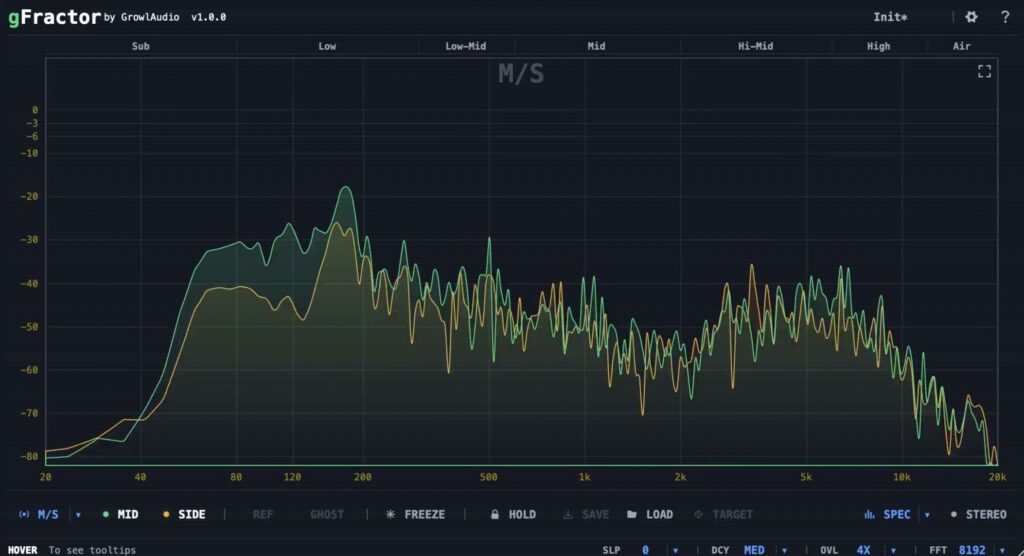
gFractor is a spectrum analyzer plugin that combines three analysis modes — Mid/Side, Left/Right, and Transient/Tone — together with a goniometer, correlation meter, per-octave stereo width display, oscilloscope, sidechain comparison, and Peak Hold target save/load functionality, all in a single window. It is currently announced as v1.0.0 “AVAILABLE FOR BETA TESTING”.
Main Features
- Switch between three analysis modes — Mid/Side, Left/Right, and Transient/Tone — to monitor signal components individually
- Sidechain comparison workflow that visually overlays the main signal and sidechain reference (swap main and sidechain with a one-key operation)
- Visualization of the stereo field via goniometer, correlation meter, and per-octave stereo width display
- Oscilloscope with real-time waveform display
- Target Save & Compare function that saves the Peak Hold curve as a target file and overlays it as a reference in another session
2. gFractor Install & Download
You can easily install it by downloading the installer from the “Download for macOS”, “Download for Windows”, or “Download for Linux” links on the official site.
That was the free distribution information for gFractor. Be sure to grab it while it is available!