

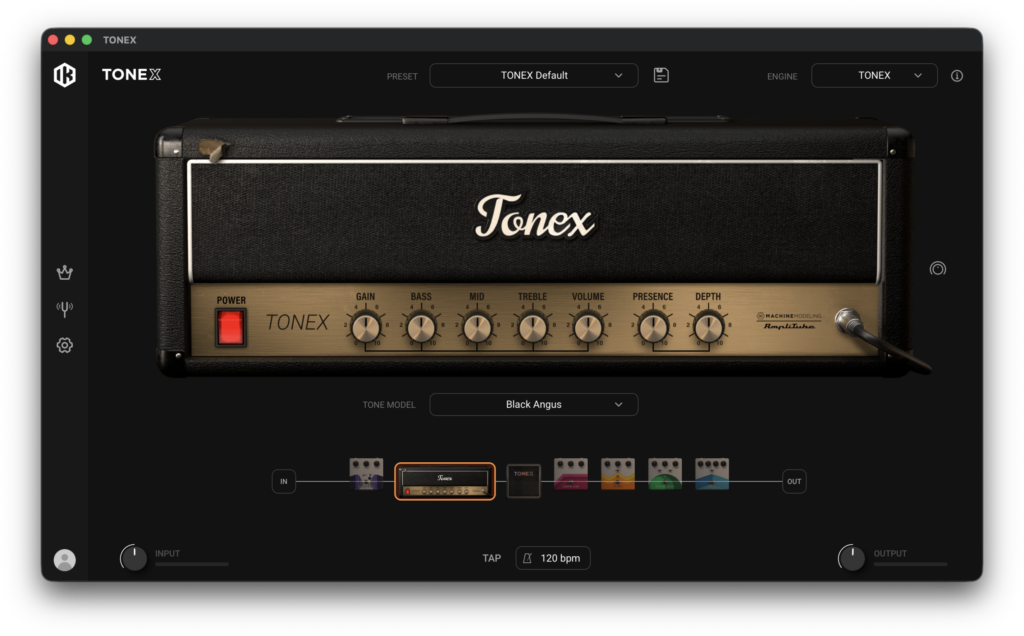
IK Multimedia’s free amp simulator “TONEX 2 CS” has been updated to version 2.2 and is available for free.
In this article, we introduce the download details and an overview of TONEX 2 CS.
1. What Is IK Multimedia “TONEX 2 CS”?
TONEX 2 CS is the free edition of TONEX, with unlimited free downloads from ToneNET and unlimited Tone Model creation with TONEX Modeler. Version 2.2 greatly expands it as “TONEX Free Unlimited,” and it now comes with 120 Tone Models and 15 built-in effects, all for free.
Key Features
- Unlimited free downloads of Tone Models and presets shared on ToneNET, directly from within TONEX 2 Player
- Unlimited creation of Tone Models of amps, cabinets and pedals with the included TONEX Modeler (Mac/PC)
- Unlimited sharing of your own Tone Models and presets on ToneNET
- Includes 120 Tone Models for free: 40 from IK Multimedia and 80 from Tone Partners
- New in version 2.2: paste the URL of a ToneNET Tone Model or preset into the TONEX search bar to find and select that content directly
- 15 built-in effects, Smart Search, a dedicated browser, and library management with favorites and custom folders
- Expandable with paid collections, TONEX Rig and TONEX hardware (paid collections sold separately)
- Supported systems: Mac (Intel: macOS 11, Apple Silicon: macOS 11; the Modeler requires macOS 12.4) in Audio Units, VST 3 and AAX formats / Windows 10 (VST 3 and AAX, 64-bit). 4GB RAM, 6GB disk space
- An internet connection is required for application authorization and access to ToneNET
2. How to Install and Activate TONEX 2 CS
You can get TONEX 2 CS by creating an IK Multimedia account and using “IK Product Manager.” If you already use TONEX, you can update to version 2.2 for free via IK Product Manager.
How to Download Tone Models from ToneNET
Free Tone Models shared on ToneNET can be searched and downloaded from within TONEX 2 Player.
- Create an account on ToneNET (register with the same IK account you use for IK Product Manager).
- Launch TONEX 2 Player, click the “TONE MODEL” field at the bottom center of the screen, and open “Open Tone Model Amp Browser” (or “Open Tone Model Stomp Browser” for pedals).
- On the left side of the browser, go to “TONENET COMMUNITY” then “Discover Tone Models” to display the list, and download the Tone Models you want to use.
If you cannot connect to ToneNET, try the following. This improved the situation in my environment.
- Click the account icon at the bottom left of TONEX 2 Player and open “Account & Library.”
- Click “Clear Cache” under “ToneNET” to delete the ToneNET cache (audio demos, images and temporary files). Also click “Refresh Library” under “Library” to rescan presets and Tone Models and rebuild the library.
That’s the free distribution information for TONEX 2 CS.