

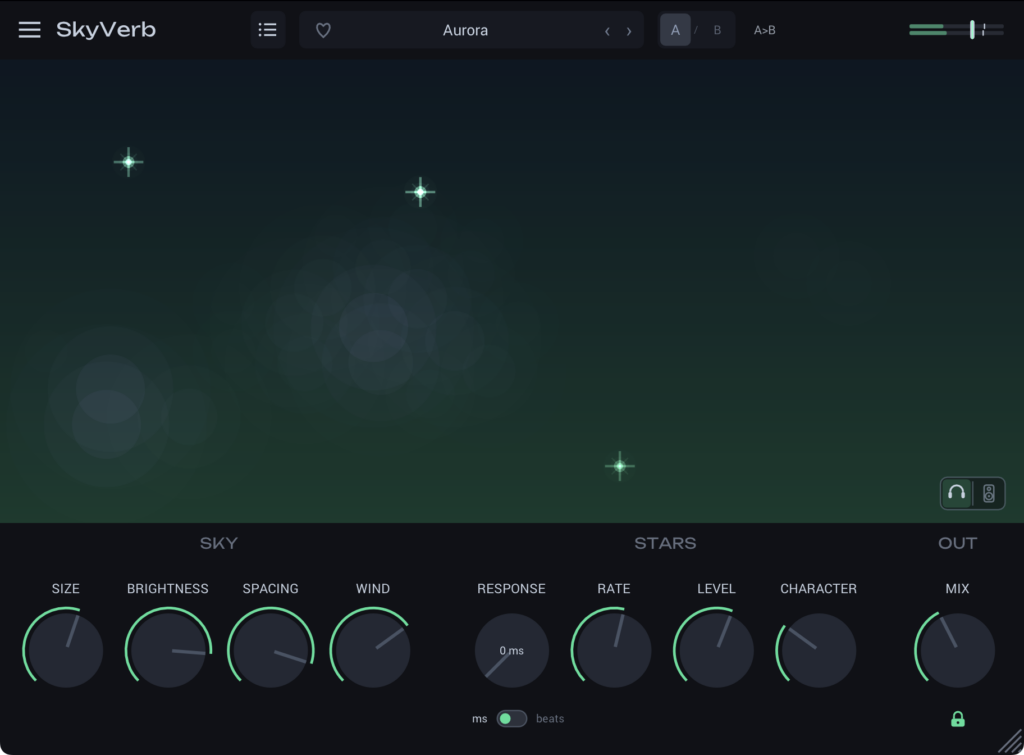
The reverb plugin SkyVerb, developed by kelegorm, is currently available as a free download!
In this article, we’ll go over the giveaway details and an overview of SkyVerb.
We hope you find it helpful.
1. What Is kelegorm “SkyVerb”?
SkyVerb is an ambient/spatial reverb plugin built on two layers instead of one. A wide, continuous stereo layer — the “sky” — draws a long, open, evolving tail, while small binaural events — the “stars” — are placed in real directions around your head. As you play, the stars respond to your notes and light up exactly where you hear them (a sparkle heard on the right really is on the right). The stars can respond immediately or wait a moment, and their response can run free or sync to the host tempo so the answers land neatly in the gaps between your phrases.
Key Features
- Two-layer engine: a dense stereo “sky” plus binaural 3D “stars” that operate separately from the tail
- “Stars” that respond to your playing, with a tempo-synced or free response delay
- 8 factory presets (Overcast, Clear, Sky Opening, Cirrus, Aurora, Storm, Vocal Sky, Cinematic Overcast), each with its own distinct space
- A/B comparison, custom preset saving and favorites, and a freely resizable window
- Headphone mode for full binaural placement, plus a wide, mono-compatible speaker mode
- Sample used in the video | Splice Sounds: MNT_SDHJ_140_drums_toms_air_dry
- Soft synth used: GForce Software “Prophet~5”
2. How to Download & Install SkyVerb
SkyVerb is easy to download and install — just choose Mac or Windows on the official page.
That’s everything you need to know about the SkyVerb free giveaway. Have fun painting your mixes with sky and stars!