
Cloudy Samples has released Filtre, a free modulation filter plugin that pairs a 16-mode Contour Filter with a triple-LFO engine. It turns static sounds into moving, animated textures – from analog-style sweeps to rhythmic gating and panning – and is available at no cost as a VST3/AU effect for Windows and macOS.
What is Cloudy Samples Filtre?
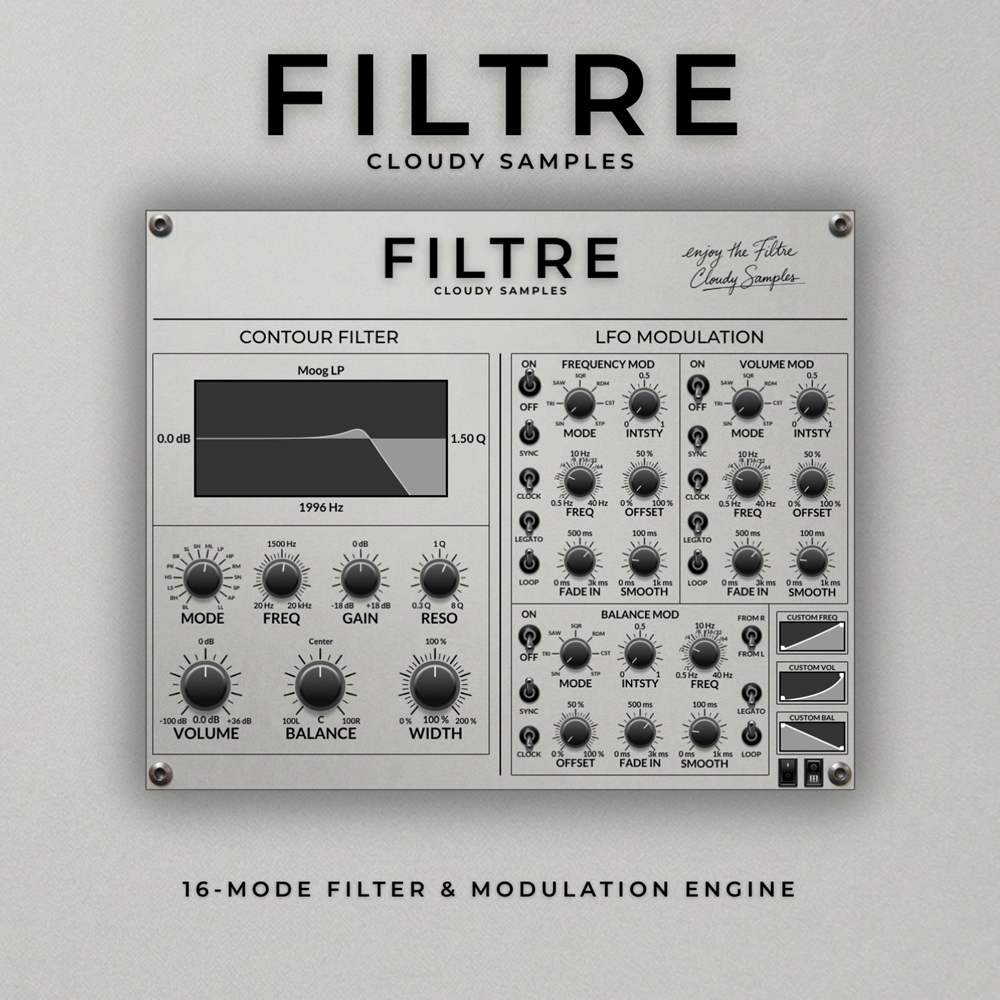
Filtre is a modulation filter plugin built around two main sections: a Contour Filter with sixteen selectable filter modes (including Moog-inspired emulations) and a Modulation Engine powered by three independent LFOs that can target filter frequency, volume and balance simultaneously. Together they let you shape everything from smooth analog-style sweeps to choppy, rhythmic movement. The interface is designed to look like a hardware module, is fully resizable, and includes a custom preset system so you can save, organize and recall your favorite settings.
Key Features
- Contour Filter – 16 filter modes including Moog-style emulations, Biquad, High Shelf, Low Shelf, Ring Mod, Peak and SVP Notch.
- LFO Modulation Engine – three independent LFOs modulating filter frequency, volume and balance.
- LFO Waveforms – Sine, Triangle, Saw, Square, Random and Step, plus a custom (CST) waveform editor.
- Resizable hardware-inspired GUI for comfortable workflow on any display.
- Custom preset system to save, categorize and recall user settings.
- 64-bit FX plugin compatible with every major DAW.
- VST3 / AU formats, Windows and macOS supported.
Why Filtre is Worth Downloading
Free filter plugins are common, but most stick to one or two filter types and a single LFO. Filtre stands out by giving you a genuine multi-mode filter section combined with a flexible, three-LFO modulation matrix, all inside a clean hardware-style interface. For sound designers, producers and electronic musicians, it is an easy way to add motion to pads, basses, plucks, vocal chops and drum loops without having to chain multiple utility plugins together. Because it ships in VST3 and AU formats, it drops straight into modern DAWs like Ableton Live, Logic Pro, FL Studio, Cubase, Studio One, Bitwig and Reaper.
How to Download & Install Filtre
Filtre is distributed directly from the Cloudy Samples website. Grab the latest installer from the official product page, unzip the archive and run the installer for your platform (Windows or macOS). Once installed, rescan your plugins inside your DAW and Filtre will appear as a VST3 or AU effect, ready to be inserted on any channel.
👉 Download Filtre – Cloudy Samples Official Page
Final Thoughts
If you are looking for a free, lightweight filter plugin that goes beyond the usual one-knob designs, Cloudy Samples’ Filtre is an excellent addition to any plugin collection. The combination of 16 filter modes and three modulation LFOs makes it equally useful for subtle movement and full-on creative destruction – and it costs nothing to try. Add it to your free plugin folder today and see how much life it can bring to otherwise static sounds.