

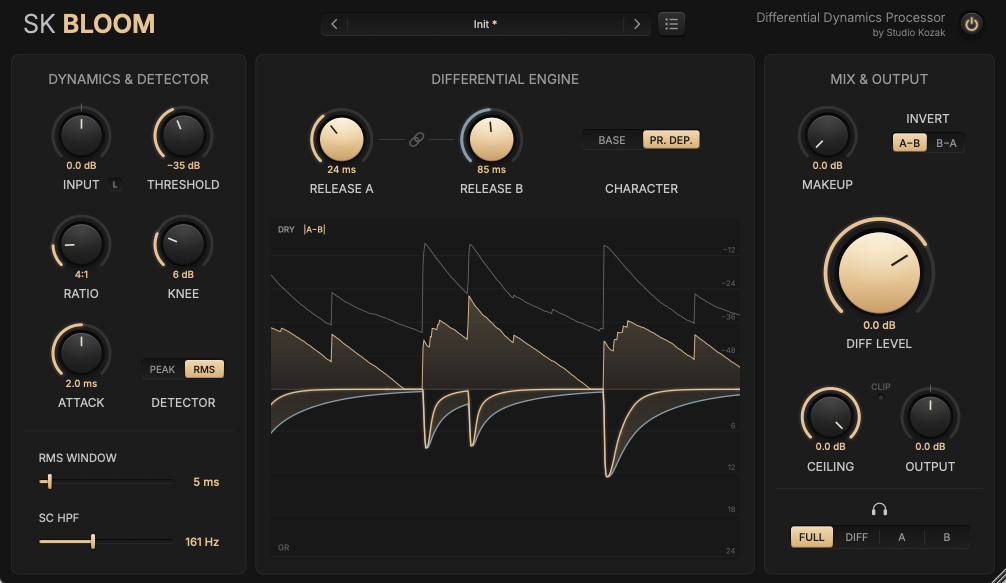
Studio Kozak’s unique dynamics processor “SK Bloom” is now available for free! This article covers the download details and an overview of SK Bloom. Be sure to check it out.
1. What Is Studio Kozak “SK Bloom”?
SK Bloom is a differential dynamics processor that extracts only the difference between the release times of two compressors, letting you lengthen and enrich the body of snares, toms, and kicks without touching the attack. Two compressors with identical settings run in parallel, and the difference created by their different release times (the “bloom”) is added to the original sound. Inverting that difference also lets you tighten drums with a long tail.
Key Features
- Add body and sustain without touching the attack
- Two compressors that differ only in release time
- Release behavior selectable between fixed and program-dependent types
- Real-time display of the last 2 seconds of waveform and the amount of bloom
- Listen mode (FULL / DIFF / A / B) for auditioning the bloom signal on its own
- Sidechain HPF and soft output sealing with 4x oversampling
- Input/output link function and a preset manager with folder support (the only factory preset is Init)
Sounds used in the video | Splice Sounds
- PJ_WLBI_94_Drum_Full_Loop_Dry_Funky
- TL_NS_Bass_Loop_Electric_FunkLine_01_D#_94
- TRKTRN_EAGBRJ_94_Electric_Guitar_Loop_Journey_Rythmic_D#maj
- TRKTRN_EAGBRJ_94_Acoustic_Guitar_Loop_Journey_Melody_D#maj
2. How to Download and Install SK Bloom
Download the latest version from the GitHub releases page, copy it to the plugin folder for your OS, and restart your DAW. On macOS, you may need to allow the plugin in System Settings under “Privacy & Security” the first time it loads.
Windows
- VST folder: C:\Program Files\VSTPlugins
- VST3 folder: C:\Program Files\Common Files\VST3
macOS
- VST folder: Macintosh HD/Library/Audio/Plug-ins/VST/
- VST3 folder: Macintosh HD/Library/Audio/Plug-ins/VST3/
- AU folder: Macintosh HD/Library/Audio/Plug-ins/Components/
That’s the free giveaway information for SK Bloom.