

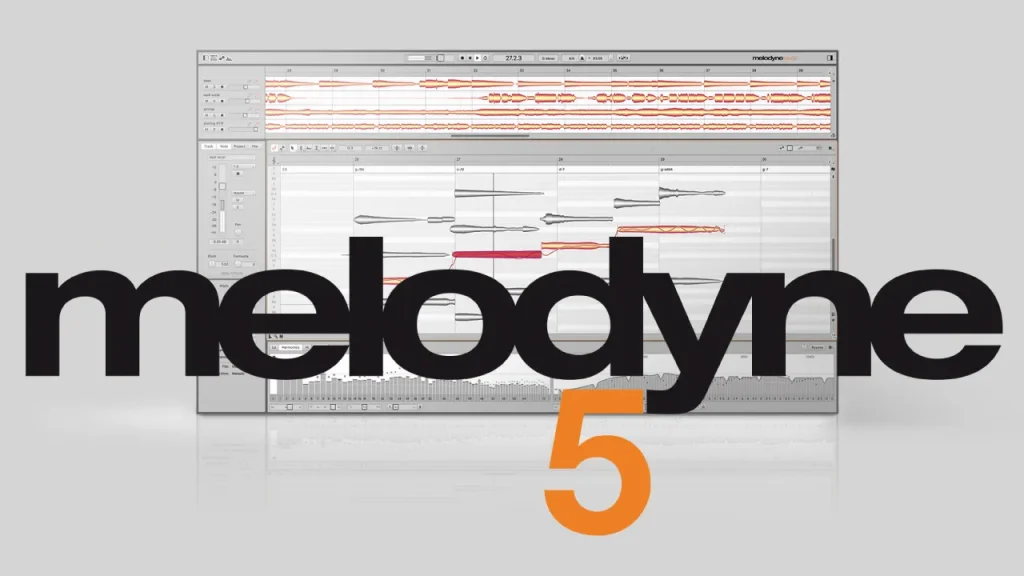

In this article, we bring you the latest sale information for Melodyne, Celemony’s industry-standard pitch correction software.
We also explain the overview of Melodyne and the differences between its editions, so please use it as a reference.
This article will be updated as soon as a new sale starts.
1. Latest Melodyne Sale Information
Melodyne is currently on sale as follows.
Black Friday & Year-End Sale: Until December 31, 2026
Melodyne 5 Full Versions
- (12/30) Celemony “Melodyne 5 Essential” – Essential edition of the standard pitch correction tool – Check current price on Plugin Boutique
- (12/30) Celemony “Melodyne 5 Assistant” – Assistant edition (Essential + upgrade bundle) – Check current price on Plugin Boutique
- (12/30) Celemony “Melodyne 5 Editor” – Editor edition (Essential + upgrade bundle) – Check current price on Plugin Boutique
- (12/30) Celemony “Melodyne 5 Studio” – Studio edition (Essential + upgrade bundle) – Check current price on Plugin Boutique
Upgrade to Melodyne 5 Assistant
- (12/30) Celemony “Melodyne 5 Assistant Upgrade from Melodyne Essential” – Upgrade from Melodyne Essential – Check current price on Plugin Boutique
Upgrade to Melodyne 5 Editor
- (12/30) Celemony “Melodyne 5 Editor Upgrade from Melodyne Assistant” – Upgrade from Melodyne Assistant – Check current price on Plugin Boutique
- (12/30) Celemony “Melodyne 5 Editor Upgrade from Melodyne Essential” – Upgrade from Melodyne Essential – Check current price on Plugin Boutique
Upgrade to Melodyne 5 Studio
- (12/30) Celemony “Melodyne 5 Studio Upgrade from Melodyne Editor” – Upgrade from Melodyne Editor – Check current price on Plugin Boutique
- (12/30) Celemony “Melodyne 5 Studio Upgrade from Melodyne Assistant” – Upgrade from Melodyne Assistant – Check current price on Plugin Boutique
- (12/30) Celemony “Melodyne 5 Studio Upgrade from Melodyne Essential” – Upgrade from Melodyne Essential – Check current price on Plugin Boutique
Upgrade Sale: Until January 3, 2027
Upgrade to Melodyne 5 Assistant
- (1/3) Celemony “Melodyne 5 Assistant Upgrade from Melodyne Assistant” – Update from an older Melodyne Assistant – Check current price on Plugin Boutique
Upgrade to Melodyne 5 Editor
- (1/3) Celemony “Melodyne 5 Editor Upgrade from Melodyne Editor” – Update from an older Melodyne Editor – Check current price on Plugin Boutique
Upgrade to Melodyne 5 Studio
- (1/3) Celemony “Melodyne 5 Studio Upgrade from Melodyne 3 Studio” – Update from Melodyne 3 Studio or earlier – Check current price on Plugin Boutique
- (1/3) Celemony “Melodyne 5 Studio Upgrade from Melodyne 4 Studio” – Update from Melodyne 4 Studio – Check current price on Plugin Boutique
2. What Is Celemony Melodyne? Comparing the 4 Editions
Melodyne identifies the individual notes contained in an audio file and lets you freely edit pitch, timing, duration, vibrato, formants and even timbre on a note-by-note basis. It is the industry standard for pitch and timing correction. It handles not only vocals but also polyphonic instruments such as piano and guitar, drums and even samples. There are four editions, and all of them share the same algorithms and sound quality. The only difference is the range of available features. Even if you start with a lower edition, you can later upgrade to a higher one by paying only the difference in list price.
The 4 Editions and How to Choose
Melodyne 5 essential
Entry-level edition / for those who just want to get started
Edit vocals with the basic pitch and timing functions. It offers excellent usability and the same Grammy-winning sound quality as the higher editions. With the Main Tool you can edit the pitch, timing, length and separation of notes, and you can edit monophonic vocal and instrument tracks, drums and even entire mixes with time-stretching, transposition and more.
Melodyne 5 assistant
A shortcut to serious vocal editing
In addition to all the features of essential, it unlocks Melodyne’s complete toolkit (intonation, vibrato, pitch drift, formants, transients, sibilants and more). The Inspector for directly adjusting values and audio-to-MIDI conversion are also available. It provides everything you need for professional vocal editing.
Melodyne 5 editor
Polyphonic support / the most popular core edition
In addition to all the features of assistant, it includes the patented DNA Direct Note Access technology. You can edit individual notes within chords played on piano, guitar and other instruments, and adapt samples to the chords of your song. Extended tempo and extended scale functions are also added, letting you musically reshape any instrument or sample.
Melodyne 5 studio
The top-of-the-line, fully featured edition for professionals
In addition to all the features of editor, it supports multitrack editing. You can edit notes from multiple tracks simultaneously in a single window, and use macros across tracks and quantize to a reference track. The Sound Editor, which gives access to overtones, also lets you create your own sound design.
Feature Comparison by Edition
| Feature | essential | assistant | editor | studio |
|---|---|---|---|---|
| All editions | ||||
| Musically weighted pitch analysis (psychoacoustically optimized intonation correction) | ✓ | ✓ | ✓ | ✓ |
| Chord track and chord detection | ✓ | ✓ | ✓ | ✓ |
| All algorithms except DNA (Melodic / Percussive / Complex) | ✓ | ✓ | ✓ | ✓ |
| Edit note assignment (full control over the algorithms) | ✓ | ✓ | ✓ | ✓ |
| Melodyne Main Tool (edit pitch, position, length and note separation) | ✓ | ✓ | ✓ | ✓ |
| Intelligent macros for pitch, timing and level adjustment | ✓ | ✓ | ✓ | ✓ |
| Standalone / DAW plug-in (ARA, AU, VST3, AAX) | ✓ | ✓ | ✓ | ✓ |
| Cross-compatibility / compatibility with Melodyne 4 projects | ✓ | ✓ | ✓ | ✓ |
| assistant and above | ||||
| All Melodyne tools (formants, volume, sibilants and more) | – | ✓ | ✓ | ✓ |
| Inspector (quick access to all parameters) | – | ✓ | ✓ | ✓ |
| Audio-to-MIDI conversion (export notes as MIDI files) | – | ✓ | ✓ | ✓ |
| editor and above | ||||
| DNA Direct Note Access (algorithm for polyphonic instruments) | – | – | ✓ | ✓ |
| Edit each note within chords (all tools and macros available) | – | – | ✓ | ✓ |
| Extended tempo functions (map and edit tempo changes) | – | – | ✓ | ✓ |
| Extended scale functions (create, edit and extract scales) | – | – | ✓ | ✓ |
| studio only | ||||
| Multitracking (manage multiple tracks in a single window) | – | – | – | ✓ |
| Multitrack note editing (edit multiple tracks simultaneously) | – | – | – | ✓ |
| Macros across multiple tracks | – | – | – | ✓ |
| Quantize to a reference track | – | – | – | ✓ |
| Sound Editor (overtone-based sound design) | – | – | – | ✓ |
Summary
We have brought you the latest Melodyne sale information.
We hope this article is helpful.