

Native Instruments is giving away “Massive XL Player,” a free version of its flagship synthesizer!
In this article, we cover the download details and an overview of Massive XL Player.
1. What Is Native Instruments Massive XL Player?
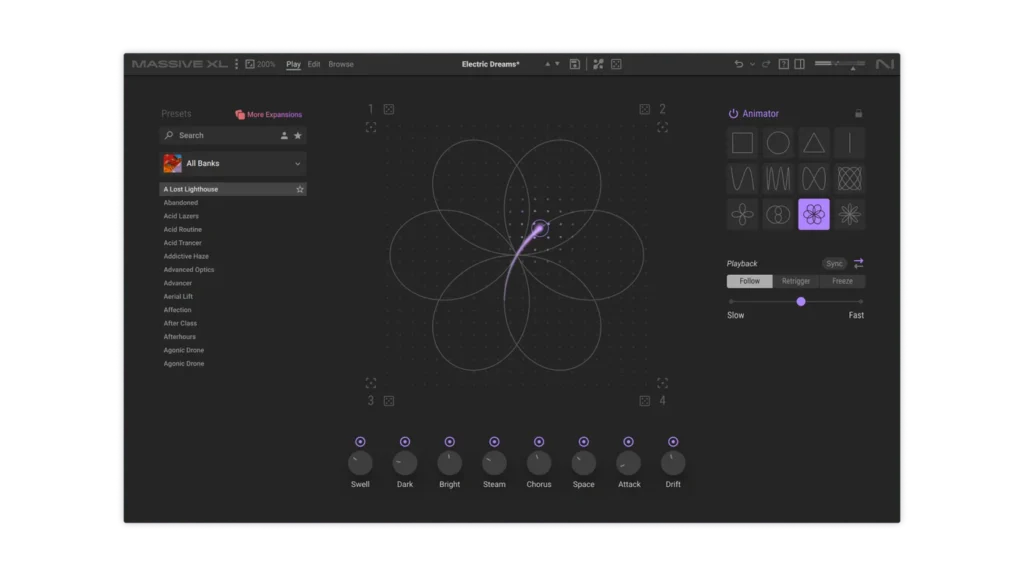
Massive XL Player is a free, streamlined version of the flagship synth “Massive XL,” focused on fast and fun sound design. The central Morpher lets you change parameters in real time, while the Animator adds movement and rhythmic modulation in just a few clicks. It is included in the free product bundle “Komplete Start” and also comes with two free Massive X Expansions.
Key Features
- Morpher lets you switch between parameters in real time and change the texture by dragging
- Animator adds movement and rhythmic modulation in just a few clicks
- Randomize buttons in the four corners of the Morpher help you generate ideas quickly
- 15 presets plus two free Massive X Expansions
- Compatible with all previous-generation Massive X Expansions
- Download size: Mac 2.1GB / Windows 1.8GB
- Formats: macOS (64-bit) VST / VST3 / AU / AAX, Windows (64-bit) VST / VST3 / AAX
- System requirements: macOS 14 / 15 / 26, Windows 10 / 11 (64-bit), Intel Core i5 equivalent or Apple Silicon, 4GB RAM (6GB recommended); an AVX-compatible Intel processor or Apple Silicon is required
2. How to Download and Install Massive XL Player
Massive XL Player is part of the free product bundle “Komplete Start.” Create a Native Instruments account, add the product, and then activate and install it via Native Access.
Summary
That wraps up our coverage of the Massive XL Player free giveaway. It is a great way to get a taste of NI’s flagship Massive XL sound engine at no cost, so be sure to grab it while you can.