

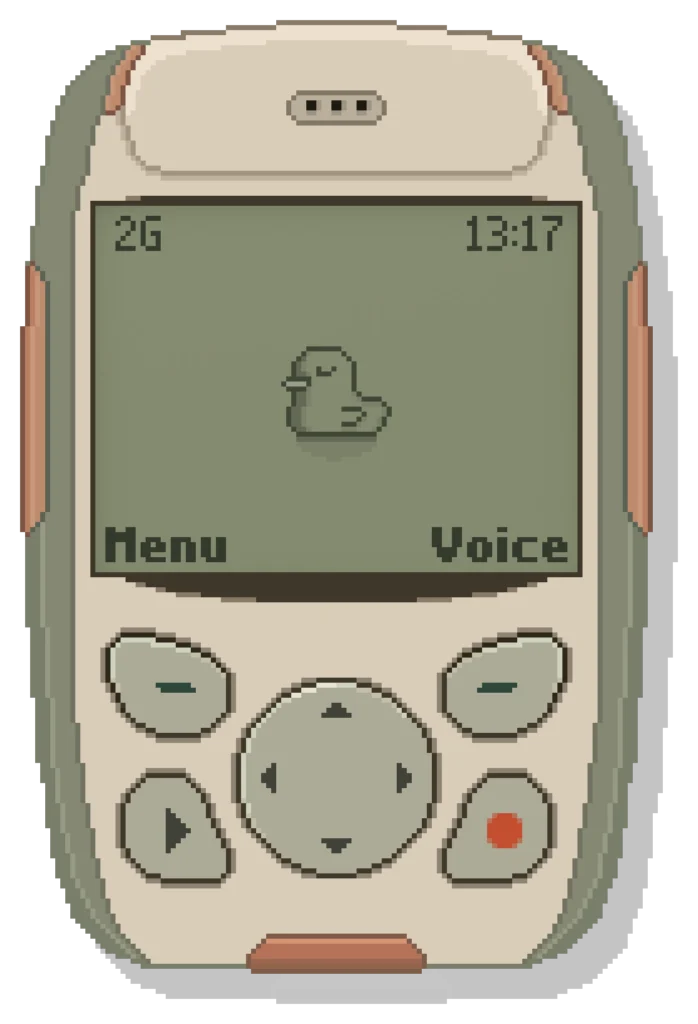
2G by Scrap Brain Audio is a sampler instrument inspired by early-2000s mobile phones, featuring the AI sound generation feature Neural Synthesis. Describe the sound in your head in text, and Neural Synthesis generates a sample that you can edit and play from your keyboard.
1. What Is Scrap Brain Audio 2G?
2G is a sampler instrument inspired by early-2000s mobile phones and equipped with the AI sound generation feature “Neural Synthesis.” Describe the sound in your head in text, and Neural Synthesis generates a sample that you can edit and play on your keyboard. The free plan ($0) gives you the full instrument, unlimited use of your own samples, and 20 generations per month with the Quick sound engine. A paid plan ($10 per month) offers 200 generations per month and the Studio engine.
The plugin also includes a game feature and a messaging feature, and after running for a while you may receive a message from the developer, a playful touch.
Key Features
- Neural Synthesis: describe a sound in text and AI generates it (free plan: 20 generations per month, Quick engine)
- Loading, editing and playing your own audio files (WAV / AIFF / FLAC / MP3, up to 20 MB and 10 seconds) is unlimited and uses no credits
- Loop analysis: compares timbre, volume and vibrato to suggest up to 3 loop point candidates, joined smoothly with a crossfade
- Root note analysis: measures pitch and corrects fine-tuning offsets during playback (treated as Unpitched when no pitch is detected)
- Shape the sound with Start / End, Attack / Release, Brightness, Detune, Noise, Quality and Formant
- Speaker simulation that models the narrow bandwidth, resonance and diaphragm movement of a small mobile phone speaker (including natural compression from voice coil heating)
- 4 voices and 16 kHz mono for an authentic mobile phone character (can be bypassed with one switch)
- An internet connection is only required for Neural Synthesis and credit checks (local samples work offline)
- Generated sounds are royalty-free for personal and commercial music production (redistributing or reselling samples on their own is not allowed)
- Formats: VST3 / Standalone (Windows 10 or later, 64-bit); AU / VST3 / Standalone (macOS 11 or later, Apple Silicon and Intel)
2. How to Install and Activate 2G
Click “GET 2G FREE” on the official page, enter your email address, agree to the terms and press “Continue.” A download link and a license key will be sent to you by email. After launching the plugin, go to Menu → Settings → License and enter the license key to activate it.