

Luxora Audio’s voice-processing multi-effect plugin “Lega Effect” is available for free for a limited time. Ending soon!
In this article, we introduce the download details and an overview of Lega Effect. Be sure to check it out.
What Is Luxora Audio “Lega Effect”?
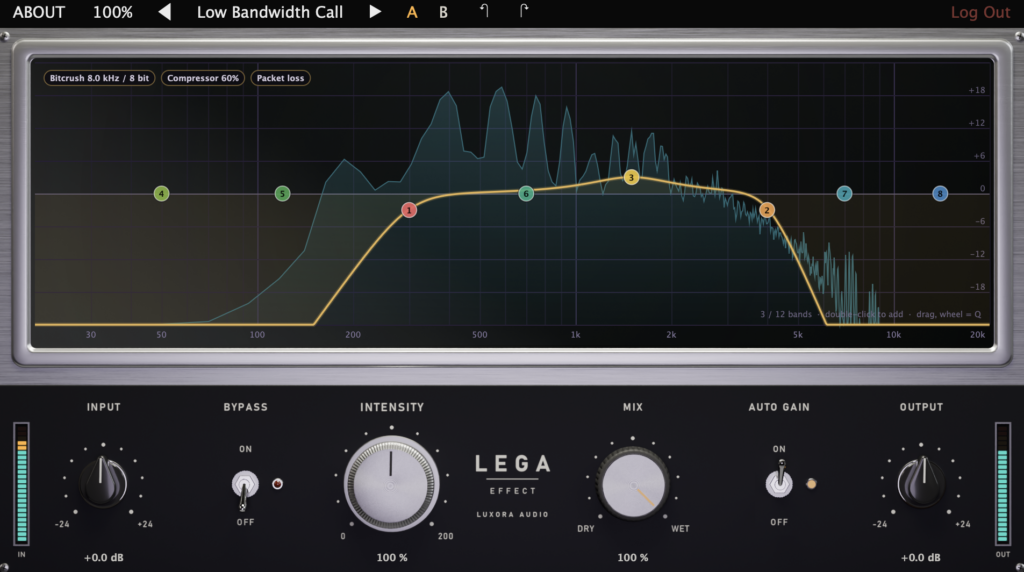
Lega Effect is a multi-effect that can transform voices and other sounds with one click so that they sound as if they were played through real-world devices and spaces, such as an old telephone, a radio, a stadium PA, or a room heard through a wall. It includes 100 presets across 9 categories, and every preset is a complete signal chain, not just an EQ.
Key Features
- 100 presets in 9 categories: Telephone / Cellular / Internet / Radio & Comms / Speakers & PA / Recorded Media / Enclosed / Voice Character / Creative FX
- Chains recreate microphone characteristics, line and codec behavior, dropouts, hiss noise, squelch, speaker drive, room/reverb, and tape wow and flutter
- Intensity controls the strength of the effect, and Mix adjusts the blend amount
- Built-in interactive analyzer with up to 12 EQ bands (high-pass, low-pass, peak, shelf) that can be adjusted on screen
- Supports Auto Gain, click-free bypass, A/B comparison, and undo/redo
Demo Video Samples: Splice Sounds
The following Splice Sounds samples were used in the demo video.
- TRKTRN_PASHAGUD_140_VOCAL_DIRTY
- OS_TD_140_Drum_Loop_Wonka
- KSHMR_sok5_140_bass_synth_ukg_menace_Em
How to Download and Install Lega Effect
Create a free Luxora account and sign in, then download and install the plugin from the product page. You will also need to sign in when launching the plugin.
That was the free giveaway information for Lega Effect.