

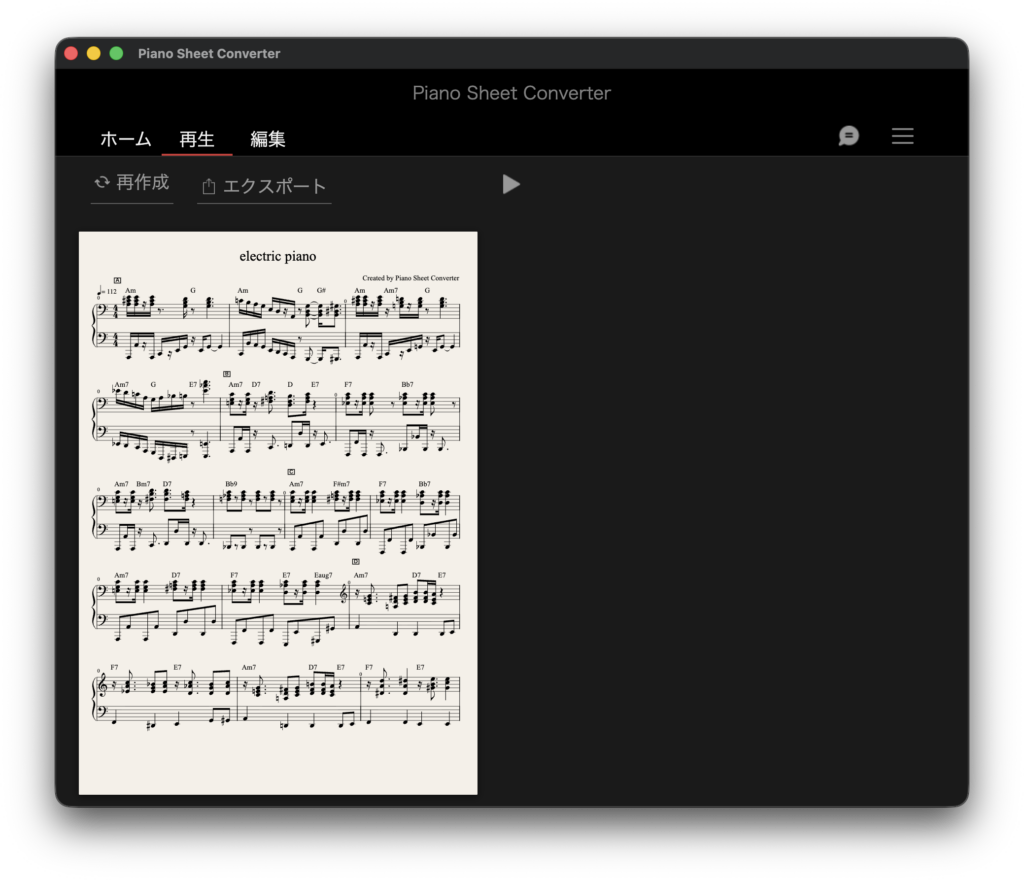
YAMAHA is giving away Piano Sheet Converter β, a notation app that automatically turns an audio file into playable piano sheet music – and during the beta period even the higher-tier plan is unlocked for free.
In this article we cover the giveaway details and an overview of what Piano Sheet Converter can do.
1. What Is YAMAHA Piano Sheet Converter?
Piano Sheet Converter is an app that automatically creates piano sheet music simply by loading an audio file. It dramatically cuts down the time you would otherwise spend transcribing by ear, and a standard-length track is finished in about 3 minutes. The standout feature is that you just pick one of four difficulty levels – Beginner, Elementary, Intermediate or Advanced – and the same source audio produces a score matched to that skill level. Finished scores can be exported as PDF, MIDI or MusicXML, so you can carry them straight into your usual notation editor for final polishing and distribution.
The app is currently published as an open beta, and while the beta runs, launching the app automatically unlocks the features of the ADVANCED plan, which is normally a paid monthly subscription. The beta period is scheduled to last until the end of October 2026, although YAMAHA notes this may change without prior notice.
Key Features
- Load an audio file and the app automatically generates piano sheet music – a standard-length song takes roughly 3 minutes
- Four difficulty levels (Beginner / Elementary / Intermediate / Advanced) let you generate different arrangements from the same source audio
- Export to PDF, MIDI and MusicXML for seamless hand-off to major notation editors
- Built-in score editing directly inside the app
- Built-in playback / preview function
- The whole workflow is three steps – load audio, let the app transcribe it, then edit and export. No specialist knowledge required
- In the current beta, accuracy is highest on pop songs with vocals. Noisy recordings and audio with heavy tempo changes tend to be less accurate
- FREE plan: 5 transcriptions per month, up to 5 saved files, playback function
- ADVANCED plan (normally a paid monthly subscription): unlimited transcriptions, up to 100 saved files, playback, score editing, PDF export and MIDI/MusicXML export
- During the beta period, simply using the app automatically unlocks the ADVANCED plan features (the beta is currently scheduled to run until the end of October 2026)
- Windows and macOS builds are available now, and the zip file includes demo audio
- The Free plan requires no registration – you can start using it as soon as you launch the app
- The full release of the Windows/macOS app is planned for around autumn 2026, with iOS and Android versions targeted for around spring 2027
- Sheet music generated by the app is for private use only and cannot be used commercially
- Currently available in countries and regions outside the European Economic Area (EEA) and other GDPR-covered territories
2. How to Download and Install Piano Sheet Converter
On the official site, head to the DOWNLOAD section, choose either the Windows or the macOS build, and click the download button to grab the zip file. Unzip it and launch the app. The Free plan needs no registration, so you can start working immediately. Use of the software requires agreeing to its terms of use.
Note that because this is an open beta, some parts of the app may still contain bugs. If you run into trouble, check the FAQ and manual on the official site, or get in touch through the contact form.
That wraps up the free giveaway details for YAMAHA Piano Sheet Converter β. If you are looking to speed up transcription work or want an easy way to turn your favourite tracks into playable piano scores, this beta is well worth grabbing while it is free.