


Moonwave FX’s stereo expansion plugin “WIDR Dimension Expander” is available for free for a limited time!
This article covers the download details and an overview of WIDR Dimension Expander. Be sure to check it out.
What Is Moonwave FX “WIDR Dimension Expander”?
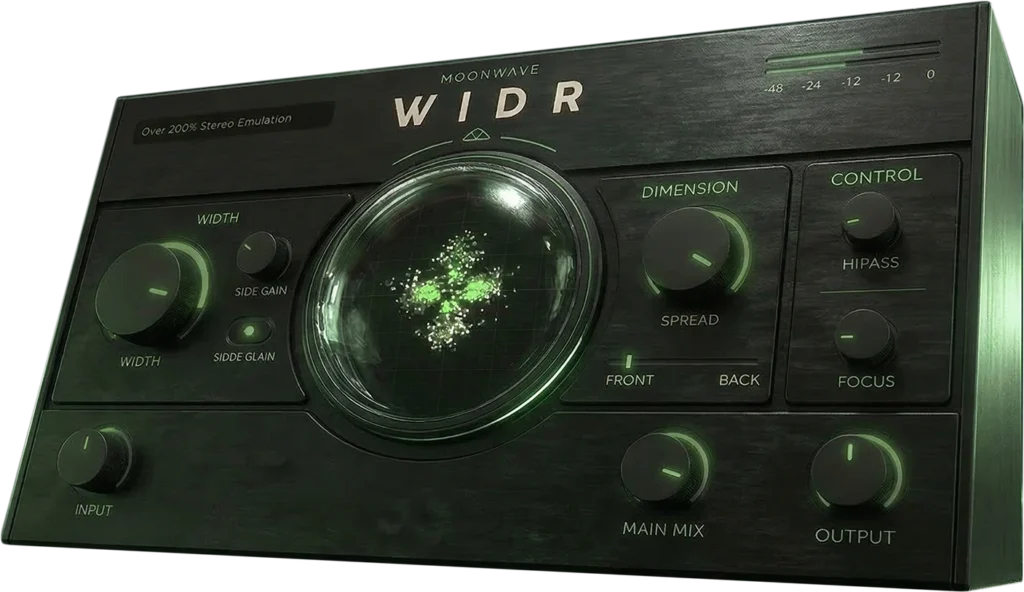
WIDR Dimension Expander is a dimension expander plugin from Moonwave FX that lets you widen and position sounds within the stereo field. Built around an interface centered on width and depth controls, it offers Side Gain, Spread, Focus, a High-Pass Filter, and Front/Back Position adjustments, so you can shape the width, depth, and presence of a sound without interrupting your session flow. It supports VST3 and AU formats and works in major DAWs (except Pro Tools).
Key Features
- Interface designed around width and depth control
- Supports adjustment of Side Gain, Spread, Focus, High-Pass Filter, and Front/Back Position
- Works on loops, synths, pads, vocal layers, guitars, sound effects, and any material where you want to add stereo feel
- MIX, INPUT, and OUTPUT controls let you blend with the original sound while keeping the balance
How to Download and Install WIDR Dimension Expander
WIDR Dimension Expander is available for free for a limited time at VSTAlarm. Check out for free at VSTAlarm, then go to the “My Account” page on the official site and either register a new account or log in to an existing one. After logging in, enter the serial code in the “Register” section of your account to link the plugin to your account and enable the download. Download it from the “Plugins” section, extract the downloaded file, and run the installer for Mac or Windows. The offer runs until around November 6, 2026.
That’s all for the free distribution of WIDR Dimension Expander. Don’t miss this limited-time offer.