

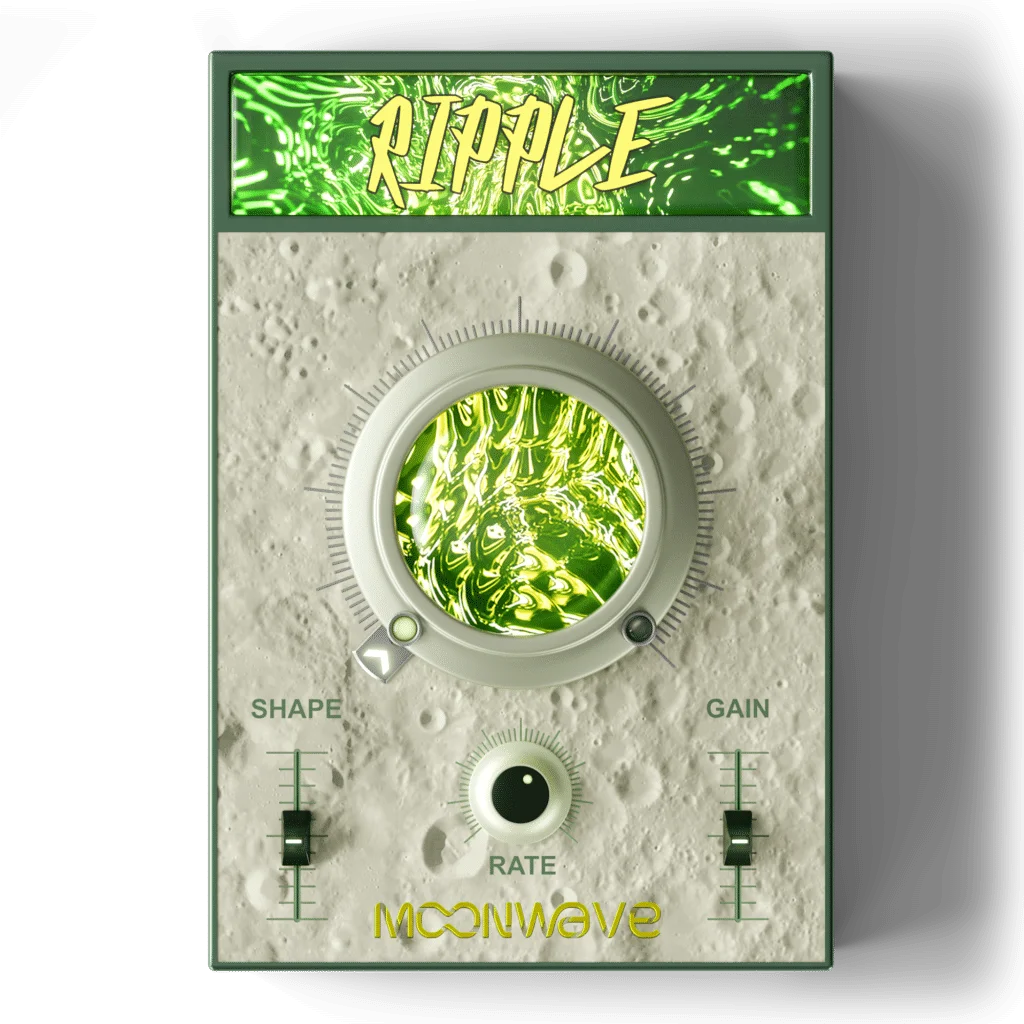

Moonwave FX is offering its intuitive LFO plugin “Ripple” as a limited-time free download. Designed to add movement, rhythm and a sense of life to otherwise static sounds, Ripple delivers fast, musical modulation with a refreshingly simple, one-knob workflow.
In this article, we cover what Ripple is, its main features, and how to install and activate it.
1. What is Moonwave FX “Ripple”?
Ripple is an intuitive LFO plugin designed to inject movement, rhythm and a sense of life into static sounds. With selectable LFO waveforms, tempo-synced rate control and a simple one-knob workflow, it lets you go from subtle modulation to deep, pulsing motion in seconds.
It also includes input and output gain sliders, making it easy to dial in levels inside your effects chain. Ripple is ideal for adding motion to pads, synths, textures, FX, basses and ambient sounds, helping mixes feel more alive and dynamic.
Main Features
- Transforms static sounds into pulsing, evolving textures
- Selectable LFO waveforms for a wide variety of motion shapes
- Tempo-synced rate control for in-sync modulation
- Simple one-knob operation for quick sound design
- Input and output gain sliders for level adjustment
- Ideal for synths, pads, FX, basses and atmospheric sounds
2. How to Install and Activate Ripple
Ripple is being offered as a limited-time free download via VSTAlarm through around June 7, 2026. Add the plugin to your cart and check out for free through Pluginomat, then visit the official “My Account” page and either create a new account or log in to an existing one. Once logged in, go to the “Register” section inside your account and enter the serial code to link the plugin to your account, after which it becomes available for download.
Downloads are handled from the “Plugins” section of your account. After downloading, unzip the file and run the macOS or Windows installer to complete the installation.
Free until around June 7, 2026.